Skip to content
Orbdale

Orbdale Terrain · playable demo

Try it first, in a playable demo

Sculpt, paint and build on real terrain in a packaged game for Windows, with no Unreal Engine to install. The demo is free to try.

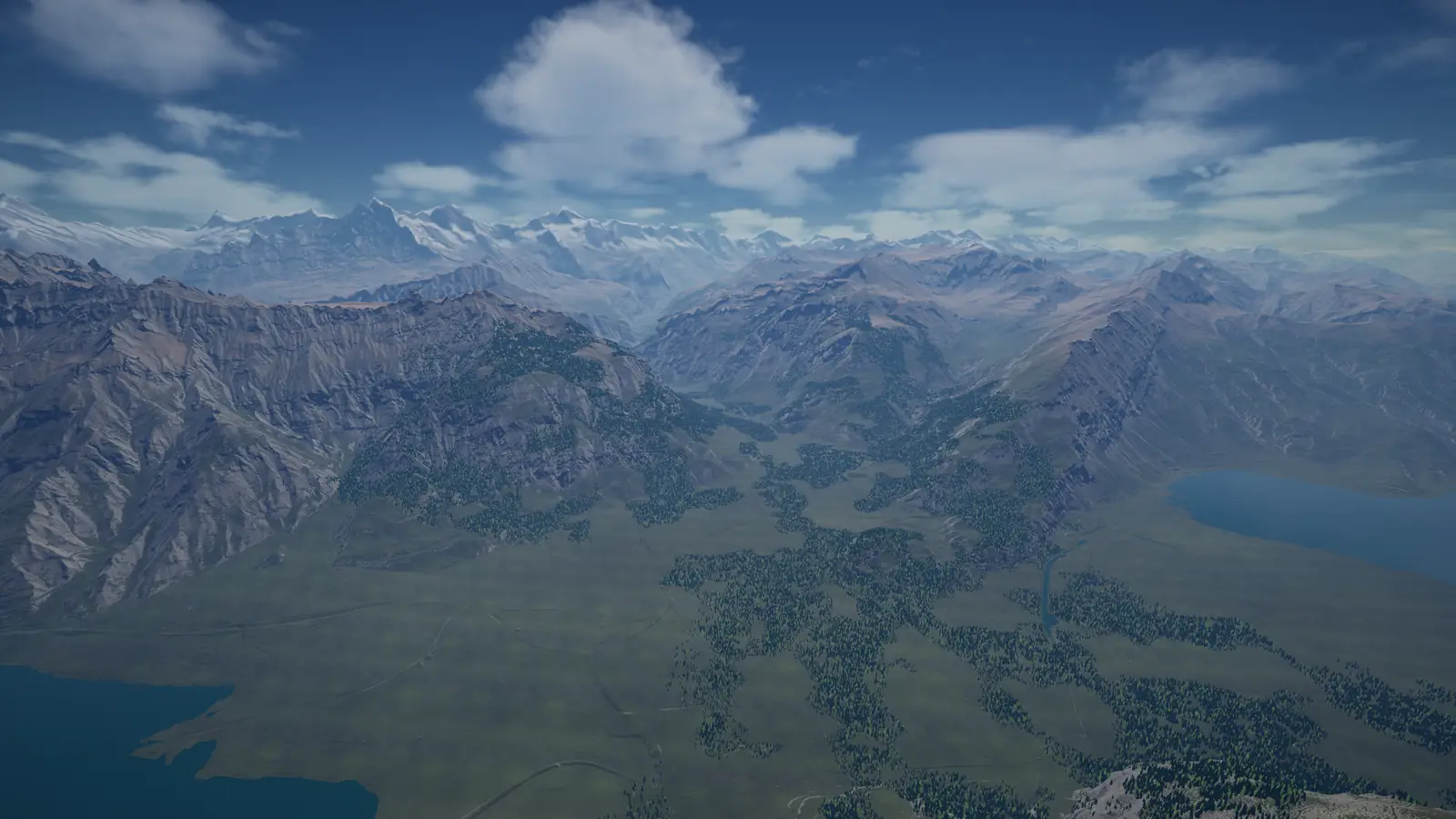
The Alpine hero map from above: a green plain between two lakes, patched with forest, under rocky slopes and snow-capped peaks.
The Alpine hero map from above: the plain at Interlaken with its yard, rail and road, the Jungfrau behind. Rendered with Movie Render Queue from the same map in the samples project. Elevation from swissALTI3D, © swisstopo.

Downloads

Version 1.0.0 of 2026-11-06, for Windows 64-bit. The full product, with its C++ source, is Orbdale Terrain.

Demo

The game, its menu and three maps: Terraforming, Earthmoving and World64.

Install

  1. Unzip it where you keep games. It holds one folder, OrbdaleTerrainDemo; keep that name.
  2. Start TerrainSamples.exe in that folder.

The game is not code-signed yet, so Windows SmartScreen may warn when you first start it: choose More info, then Run anyway.
Alpine Hero map add-on, optional

Adds the Alpine hero map, 64 km of the Swiss Alps, to the Demo, which it needs.

Install

  1. Unzip it into the folder that holds the game's OrbdaleTerrainDemo folder, not into OrbdaleTerrainDemo itself: the add-on's own OrbdaleTerrainDemo folder merges into the game's. Windows' Extract All proposes a new folder; type the path of the folder above OrbdaleTerrainDemo instead.
  2. In the right place, this file exists: OrbdaleTerrainDemo\OrbdaleTerrainSamples\Content\Paks\pakchunk1-Windows.ucas
  3. Start the game again: it finds the add-on only when it starts. Button 1 in the menu then opens the Alpine hero map.
SHA-256 checksums
Demo (326,996,183 bytes)
5838d8b329002380f490c485e1487b613fec575f6dee925734d9712a6b46c7ad
Alpine Hero map add-on (5,518,104,758 bytes)
98056c79f4056b1da406d51429a3faa6cde652baa65f20eaebdb3fd9d8cacdf3

To check a file before you unzip it, compare its SHA-256 with the one above. In PowerShell: Get-FileHash <the zip's path>

What to try

The menu lists the maps by number. O opens the quality page, in the menu and over a running map, and Esc returns to the menu from any map.

Maps

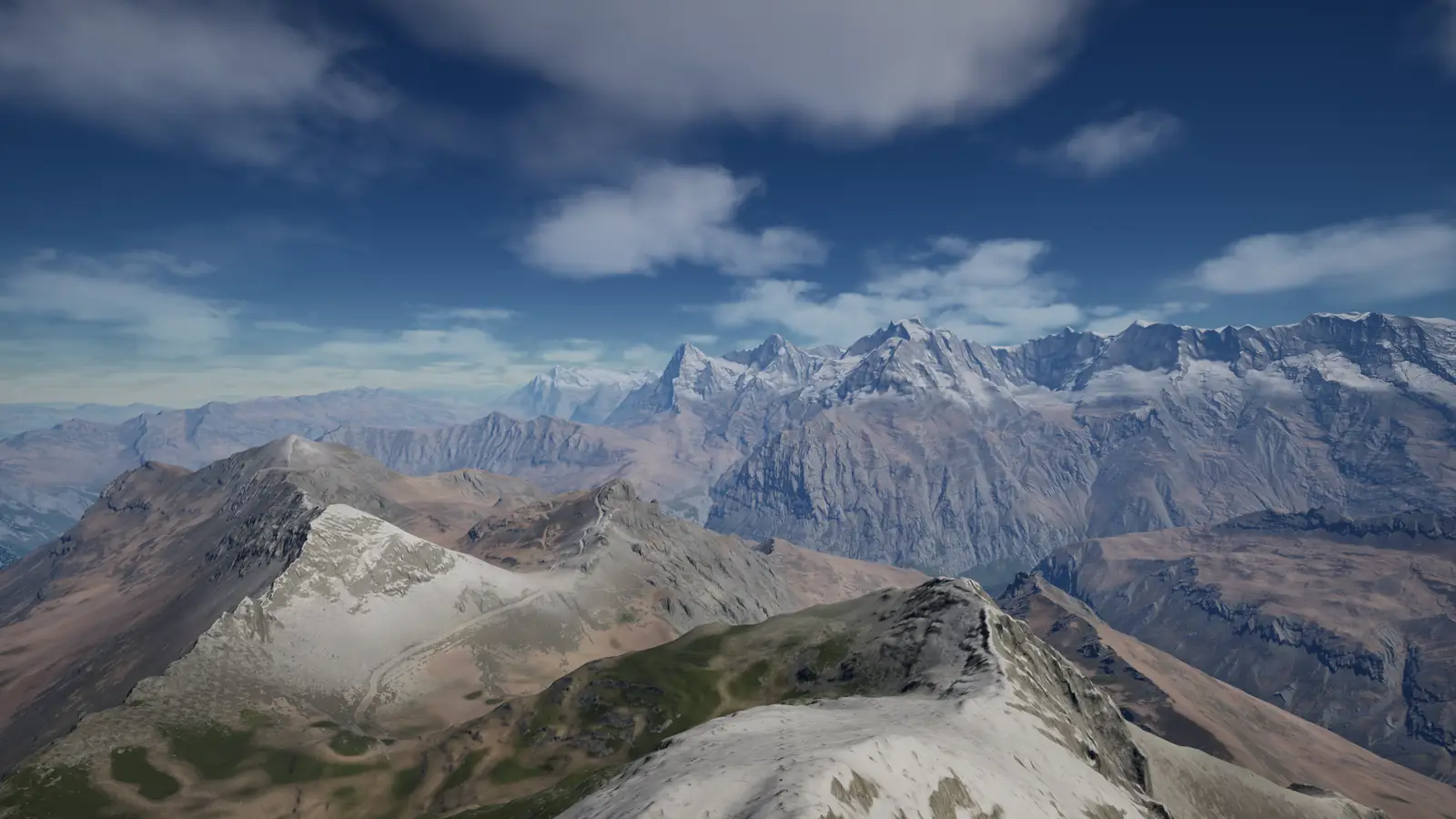
  • Snow-capped peaks seen across the ranges from a summit ridge.
    Eiger, Mönch and Jungfrau from a summit ridge. Rendered with Movie Render Queue from the same map in the samples project. © swisstopo.
    1 · Alpine hero mapThe Alps, 64 km: the Jungfrau region from swisstopo elevation. Needs the Alpine Hero add-on; without it, the button says how to get it.
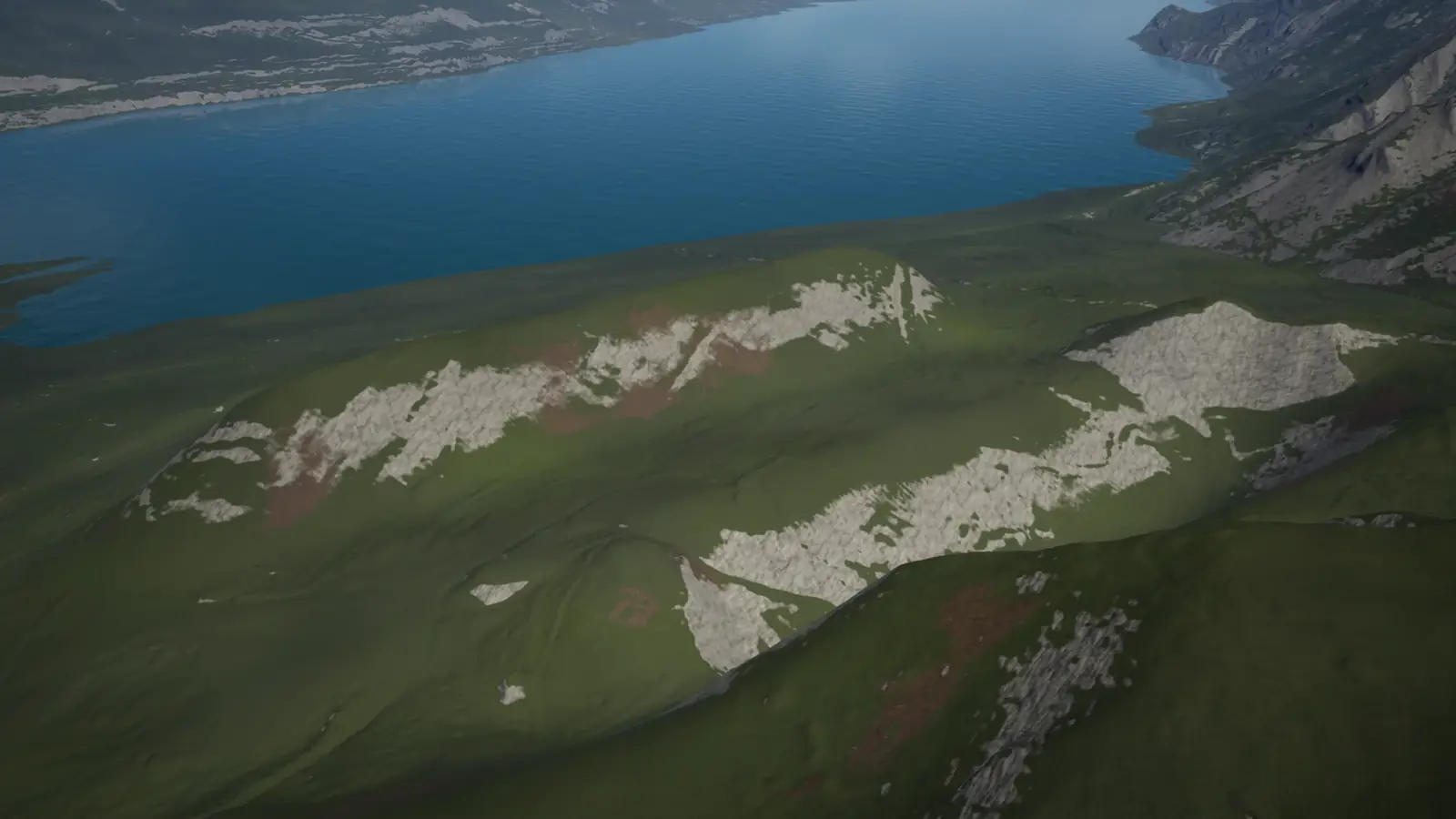
  • A grassy hillside above a lake, with pale patches of bare rock where the brush has worked.
    The brush raising a ridge above a lake, shown on the Alpine hero map. Rendered with Movie Render Queue from the samples project. © swisstopo.
    2 · TerraformingSculpt, smooth, paint.
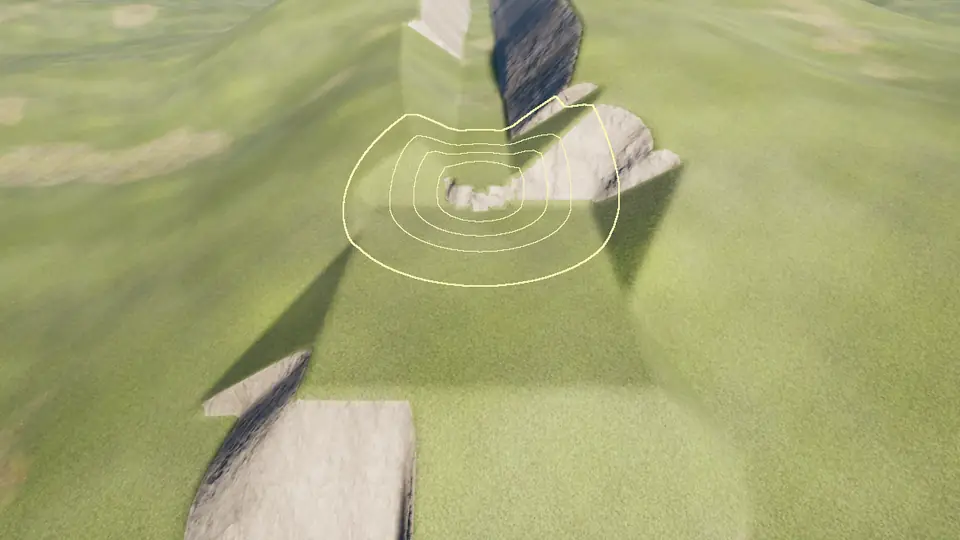
  • A level corridor cut through a grassy hill, its side walls of bare rock.
    A corridor cut through a grassy hill. A capture of the same map in the samples project.
    3 · EarthmovingCut, fill and haul.
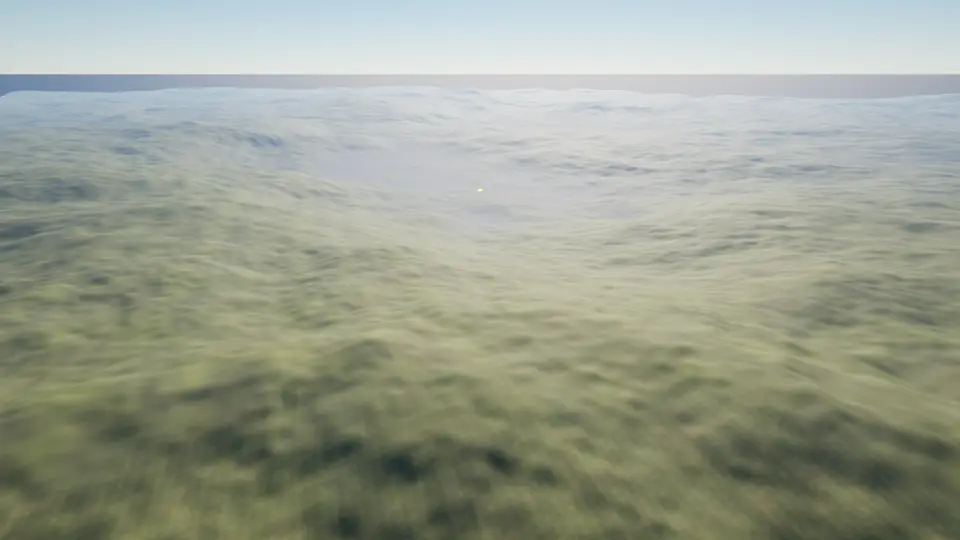
  • Rolling ground fading into the haze toward a far horizon.
    Rolling ground to the horizon. A capture of the same map in the samples project.
    4 · World64A 64 km paged world. Fly anywhere and sculpt there.

Keys

  • FlyW A S D. Up: E or Space. Down: Q or Ctrl. Mouse wheel: fly faster or slower. Hold the middle mouse button to look around.
  • Sculpt and paintThe ring follows the mouse. Left mouse: sculpt under the ring. B: next brush. N: next paint layer. [ and ]: brush size. - and =: strength. F: falloff. Z: undo. Y: redo.
  • The map's actions1 to 5, listed in its help panel. H: help panel.
  • QualityO: Overall quality from Low to Cinematic, then one row each for the terrain, every scalability group, Lumen, virtual shadow maps, resolution and window. Your choices are kept for the next start.
  • What it costs on your machineP: frames per second. U: frame, game, draw, RHI and GPU times. T: what the terrain costs, CPU time by part, GPU time and memory. M: measure the terrain's own GPU time.

Requirements

  • SystemWindows 10 or 11, 64-bit.
  • Graphics cardDirectX 12. Lumen and virtual shadow maps need Shader Model 6; on a card without it, their rows on the quality page say that they have no effect. Performance and quality
  • Disk459 MB for the game, unzipped; 5.14 GB more for the Alpine Hero map add-on. Keep room for a zip while you unzip it.

The demo was built and checked on an Intel Core i7-12700H with 32 GB RAM and a GeForce RTX 3060 Laptop GPU with 6 GB, on Windows 11.

Credits

What the demo holds that we did not make, and the engine's notices.

  • Alpine hero map: elevation from swissALTI3D and DHM25, ©swisstopo.
  • Terrain layer textures from ambientCG and Poly Haven, CC0 1.0.
  • Rock and fern models from Poly Haven, CC0 1.0 (boulder_01, namaqualand_boulder_05, rock_07 and fern_02). The trees, grass, water and sky materials are made for this project.
  • Made with Unreal Engine. Unreal® Engine, Copyright 1998 - 2026, Epic Games, Inc. All rights reserved. Unreal® is a trademark or registered trademark of Epic Games, Inc. in the United States of America and elsewhere.
  • Portions of this software are copyright © The FreeType Project (www.freetype.org). All rights reserved.